Mostly about building products, healthcare tech, and lessons learned along the way.
Loading articles
How to ingest HL7v2 Messages into Google Cloud | Clint Johnson
How to ingest HL7v2 Messages into Google Cloud
The plumbing nobody draws on the architecture diagram
What is HL7v2 again?
HL7v2 (Health Level 7 Version 2) has been the dominant clinical data exchange standard in healthcare since the late 1980s. The international non-profit Health Level Seven International developed it, and it became the de facto wire format for moving data between EHRs, Laboratory Information Systems, and Radiology Information Systems. If two healthcare systems are talking to each other today, there's a good chance they're doing it in HL7v2.
The standard's longevity isn't an accident. It connects systems that would otherwise be islands: EHRs, labs, radiology, pharmacy. Patient data stays consistent across platforms because HL7v2 defines how that data moves. Over 95% of US healthcare organizations use HL7 v2.x, and implementations exist in more than 35 countries. Newer standards like FHIR get more press, but HL7v2 is what actually runs hospitals right now.
HL7v2 Message Components
HL7v2 messages have a hierarchical structure built from segments, fields, and sub-components. Segments are the base unit: each starts with a three-character identifier like PID (patient identification), OBR (order/request details), or OBX (observation results). Within segments, fields hold the actual data, separated by pipe (|) characters. Sub-components break fields down further using caret (^) delimiters — an address field, for instance, splits into street, city, state, and zip.
Some fields and segments repeat within a single message. A patient might have multiple phone numbers or addresses, and the standard accommodates that. Message types categorize the purpose of each message: ADT handles admissions, discharges, and transfers; ORM covers orders; ORU carries lab results. Each type supports multiple trigger events that tell you exactly what happened — ADT^A01 means a patient was admitted.
Storing and Managing HL7v2 Messages
Storing HL7v2 messages correctly matters more than it sounds. Any alteration to a stored message — even a minor one — can produce downstream clinical errors. Healthcare operations also need fast retrieval: care teams can't wait on slow queries. Most jurisdictions add compliance requirements on top of that: encryption, backups, defined retention periods.
I help teams ship AI in production — audits, consulting, custom agents, and eval systems. Start with an AI Audit (from $5k) for an honest read on what to build.
Before storing HL7v2 messages, create a dataset. A dataset in the Google Cloud Healthcare API is the top-level container for healthcare data storage and analysis.
Data integrity in healthcare requires tracking changes over time. Google Cloud Healthcare API provides built-in versioning, so you can retrieve previous versions of a message when needed. For older messages that must be retained but aren't actively used, the API also supports archiving: data stays secure and accessible without cluttering your active store.
Parsing and Converting HL7v2 Messages
Parsing is the first step to doing anything useful with HL7v2 data. The messages contain clinical information, but it's packed in a format that's not immediately queryable. Parsing breaks them into usable components. Transformation converts them into formats like JSON or XML for downstream systems. The parsing step also catches errors and inconsistencies before they propagate.
Understanding the Parsing Process
Parsing an HL7v2 message means walking the hierarchy: segments first, then fields, then sub-components. That structure is what makes HL7v2 flexible enough to carry almost any kind of clinical data — and what makes it tedious to work with by hand.
Using the Google Cloud Healthcare API for Parsing:
The Google Cloud Healthcare API handles HL7v2 parsing natively.
FHIR is the modern standard for health data exchange: more flexible, web-native, and better suited to API-first architectures. Converting HL7v2 messages to FHIR resources makes them accessible to systems that don't speak the legacy format.
Conversion Process
The conversion involves three steps. First, define how data elements in the HL7v2 message map to FHIR resource elements — some are direct (patient name to patient name), others require transformation logic. Second, run the transformation using those mappings. Third, validate the resulting FHIR resource to confirm all required elements made it through.
Using the Google Cloud Healthcare API for Conversion
The default capabilities cover standard HL7v2 well, but non-standard message formats require customization. You can provide custom schemas to describe non-standard structures so the parser interprets them correctly. For FHIR conversion, custom mappings let you control exactly how HL7v2 data elements transform. You'll also want custom error handling for known quirks in your specific source systems — the alternative is discovering those quirks in production.
Using the Default Parser for HL7v2 Messages
The Google Cloud Healthcare API's default parser handles standard HL7v2 messages with no extra configuration. It's the right starting point for any integration.
Advantages of the Default Parser
The default parser works out of the box, with no schema definitions or configuration required. It's optimized for speed and built on solid industry knowledge, so standard messages parse correctly the first time. For high-volume healthcare systems, the performance holds up.
How the Default Parser Works
The parser first segments the message using carriage return (\r) delimiters, then identifies fields within each segment using pipe (|) separators. Sub-components get split out using caret (^) delimiters. The parser recognizes data types for each field: string, date, coded element. Type recognition ensures the data gets interpreted and processed correctly downstream.
Using the Default Parser with the Google Cloud Healthcare API
Send your HL7v2 message to the parsing endpoint. The API returns the parsed message as structured JSON.
When the parser hits something it can't handle, it returns an error message with the nature of the problem and its location in the message. Review those messages manually. Missing critical data is worse than a failed parse. If you're seeing frequent errors from a specific source system with non-standard formatting, customize the parser or add schemas for that system rather than continuing to handle errors one by one.
When to Consider Other Parsing Options
The default parser handles the vast majority of real-world messages. Two scenarios push you toward a custom parser: your source system uses a non-standard HL7v2 format that the default parser misinterprets, or you need to extract specific data elements in a particular way that the default behavior doesn't support.
Using a Custom Parser for HL7v2 Messages
Custom parsers make sense when the default parser runs into the edges of standard HL7v2. Some healthcare systems deviate from the spec in ways that are consistent and known — those are exactly the cases a custom parser handles well.
Why Consider a Custom Parser?
Non-standard message formats are the most common reason. If your source system consistently structures segments in an unusual way, a custom parser tailored to that format will produce better results than trying to coerce the default parser into handling it. Custom parsers also let you build in specialized error handling for known quirks in a specific system.
Building a Custom Parser
Start by thoroughly understanding the message structure you're working with. Identify every segment, field, and sub-component and what each one means. Then define parsing rules for how each element should be handled: delimiters, data types, repeating fields. Python, Java, and C# are all reasonable choices for the implementation. Test against real-world messages before deploying anywhere near production data.
Integrating a Custom Parser with the Google Cloud Healthcare API
Deploy the custom parser as a service accessible via an API endpoint. Configure your healthcare systems to route HL7v2 messages to that endpoint for parsing. Once parsed, send the structured output to the Google Cloud Healthcare API for storage and downstream processing.
# Send HL7v2 message to custom parser for parsingresponse = requests.post("https://custom-parser-endpoint.com/parse", data=message_content)parsed_message = response.json()# Store parsed message in Google Cloud Healthcare APIstore_request = healthcare_v1beta1.StoreMessageRequest(name=hl7v2_store.name, message=parsed_message)client.store_message(request=store_request)
Maintaining a Custom Parser
A custom parser requires ongoing maintenance. Message formats change when source systems are upgraded or reconfigured. Bugs surface once real-world edge cases hit the parser. As message volume grows, performance optimizations become necessary. Build maintenance into the plan from the start rather than treating the initial build as a one-time project.
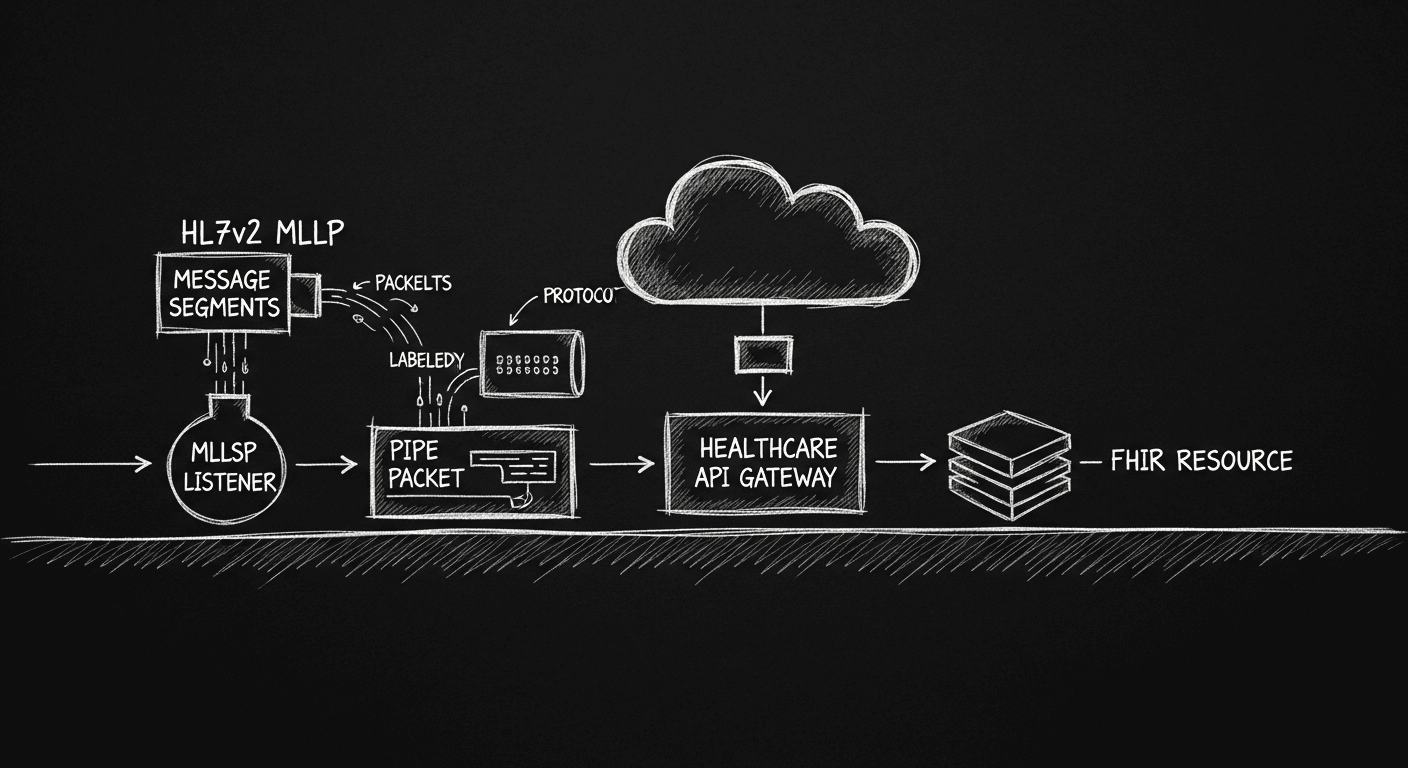
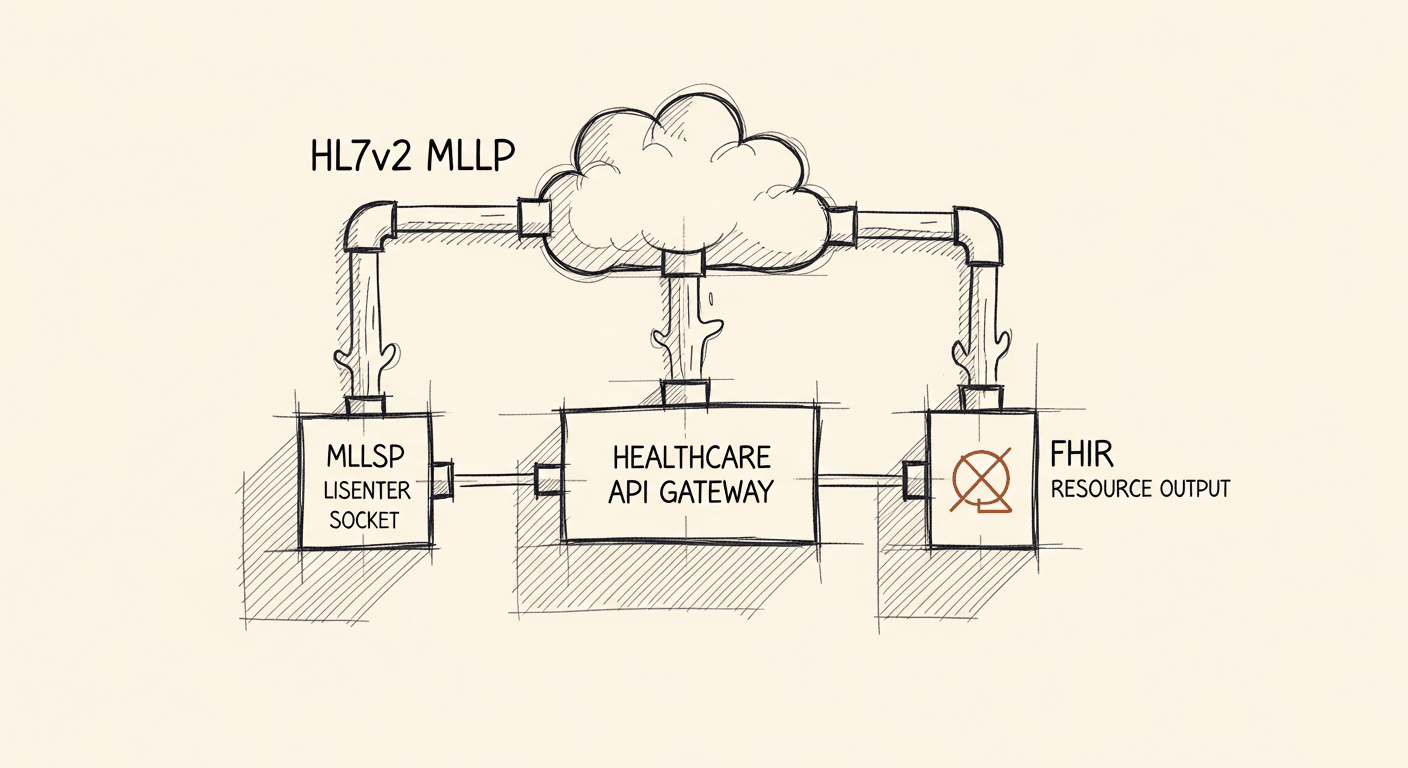
MLLP (Minimal Lower Layer Protocol) is the transport layer most healthcare systems use for HL7v2 message delivery. It ensures reliable, sequential transmission with acknowledgment handling.
Understanding MLLP
MLLP is purpose-built for healthcare message delivery. It handles acknowledgments automatically: senders know whether their message was received, and the protocol has mechanisms for handling transmission failures. MLLP itself doesn't encrypt data, so it's typically paired with TLS to protect patient information in transit.
Setting Up the MLLP Adapter with Google Cloud Healthcare API
Installation
The MLLP adapter ships as a Docker container, which makes deployment straightforward across environments.
Install Docker on your server or cloud platform.
Pull the MLLP adapter container from the Google Container Registry.
Configure the adapter with your port number, HL7v2 store location, and security settings before starting it.
Starting the Adapter
Start the MLLP adapter using Docker.
docker run -p[PORT]:2575 gcr.io/cloud-healthcare-containers/mllp-adapter:latest --hl7v2_project_id=[PROJECT_ID]--hl7v2_location=[LOCATION]--hl7v2_dataset=[DATASET]--hl7v2_store=[STORE]
Monitoring and Logging
Monitor the adapter to catch errors early. The adapter provides extensive logging so you can track message throughput, detect failures, and monitor performance.
Securing the MLLP Adapter
Healthcare data demands proper security on every layer. The MLLP adapter supports TLS encryption: enable it to protect messages in transit. Implement authentication so only authorized systems can send or receive messages — client certificates or IP whitelisting both work. Update the adapter regularly to stay current with security patches.
Integration with Other Systems
Configure your healthcare systems to route HL7v2 messages to the correct MLLP adapter endpoint, with the right IP address, port, and authentication credentials. If source or destination systems use different formats, build message transformation into the pipeline: change formats, add or remove fields, or convert to FHIR as needed.
Sending HL7v2 Messages Over MLLP
MLLP transmission follows a defined envelope structure. Each message starts with a start block character (<SB>), contains the HL7v2 payload, and ends with an end block character (<EB>). The receiver sends back either an acknowledgment (ACK) for successful receipt or a negative acknowledgment (NACK) for failures.
Understanding the MLLP Transmission Process
The sender wraps the HL7v2 message in MLLP framing, establishes a TCP connection to the receiver, transmits the message, and waits for the acknowledgment. A NACK response should trigger error logging and potentially a retry. Once the acknowledgment arrives and the transmission is complete, close the connection.
Steps to Send HL7v2 Messages Over MLLP
Format your HL7v2 message correctly first, including all required segments. Wrap it with MLLP start and end block characters, establish a connection to the receiver using its IP address and port, send the wrapped message, handle the acknowledgment response, and close the connection when done.
Tools & Libraries
Two tools see wide use for MLLP-based HL7v2 transmission. HAPI (HL7 Application Programming Interface) is an open-source Java library for creating, parsing, and sending HL7 messages. Mirth Connect is a widely-deployed integration engine with built-in MLLP support.
Forwarding HL7v2 Messages to a URL Over HTTPS
After receiving HL7v2 messages, you often need to forward them to another system for processing. HTTPS is the standard choice: it encrypts data in transit, ensures integrity, and supports authentication so the receiving system can verify the source.
Benefits of Using HTTPS
HTTPS encrypts the payload, protects patient data from interception, and guarantees the message arrives unaltered. The receiving system can verify the sender's identity, so only trusted sources get through.
Steps to Forward HL7v2 Messages Over HTTPS
Set up an HTTPS endpoint on the receiving system. Convert the HL7v2 message to JSON or XML for transmission. Establish a secure connection using an HTTPS client, send the formatted message, handle the response from the receiving system, and close the connection. Log errors rather than silently discarding failed deliveries.
Tools & Libraries
Postman works well for testing HTTPS delivery to a new endpoint before wiring it into production. cURL handles the same job from the command line. For programmatic delivery, Python's requests library and Java's HttpURLConnection are both solid choices.